Tinseltap
Ring four handbells along with Christmas carols.
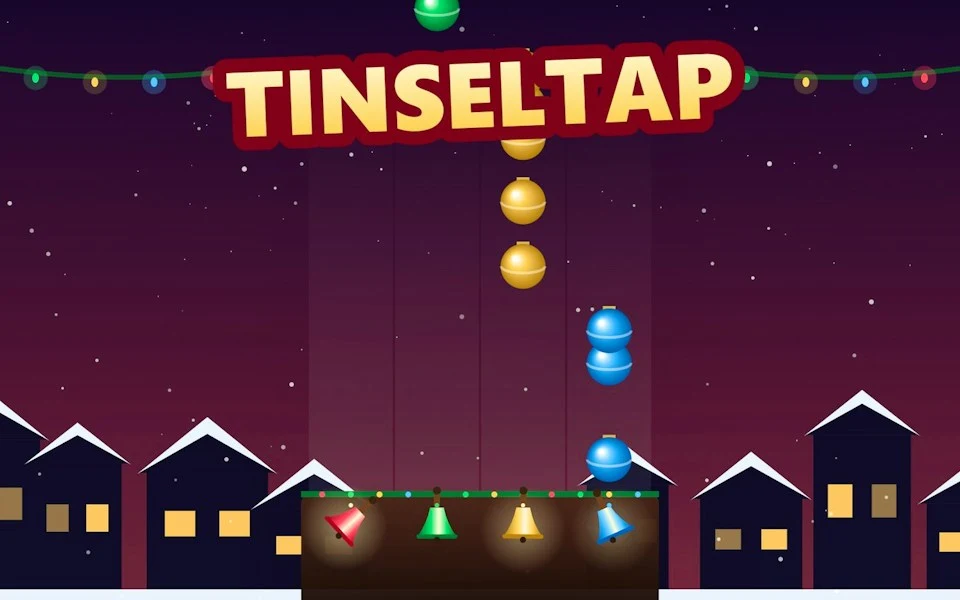
Four handbells turn a snowy street into a Christmas songbook. Each falling ornament belongs to the bell directly beneath it. Follow a single lane through repeated notes, then look across the row when the melody changes bells.
How to play
- Start a carol
- Tap the title screen to play Jingle Bells on Normal, or open Songs to see the other arrangements.
- Ring a bell
- Tap a bell on the screen or press its matching key as an ornament reaches the row of lights above the bells.
- Follow your score
- Hits add to the score in the top left. Watch for the timing feedback beside the bell and the combo count above the lanes.
First round tip Jingle Bells opens with yellow ornaments. Find the third bell before the countdown ends so you can catch the opening notes.
Match the keys to the handbells
The bells stay in this order from left to right. Put your left hand on D and F and your right hand on J and K. On a touchscreen, you can tap the bells themselves.
- DRed bell
- FGreen bell
- JYellow bell
- KBlue bell
Inside the Christmas songbook
The Songs menu has five arrangements of four carols. Jingle Bells is ready to play on a fresh game. The other rows show an Unlock button, including the separate full version of Jingle Bells.
- Jingle Bells
- Deck the Halls
- We Wish You a Merry Christmas
- Good King Wenceslas
- Jingle Bells (full)